 The Facebook Ads Blueprint
Member tools,
built for your brand.
Sign in with the email you use on Skool. We'll send you a 6-digit code.
Not sure which email you use on Skool?
Skool shows it on your account settings page. This button opens it in a new tab:
Open my Skool settingsYour email is listed under Email. Copy it, come back here and paste it above.
Or find it yourself
-
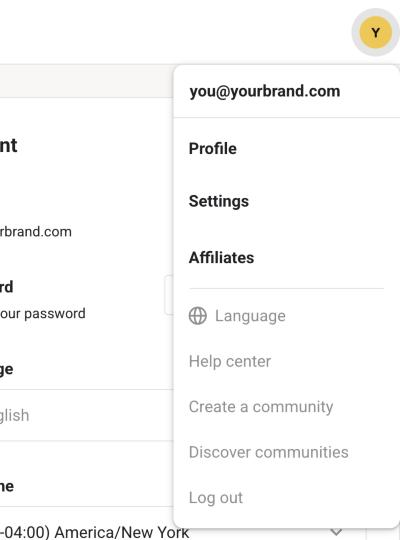
On skool.com, click your profile picture in the top right corner. Your email is at the top of the menu.
-
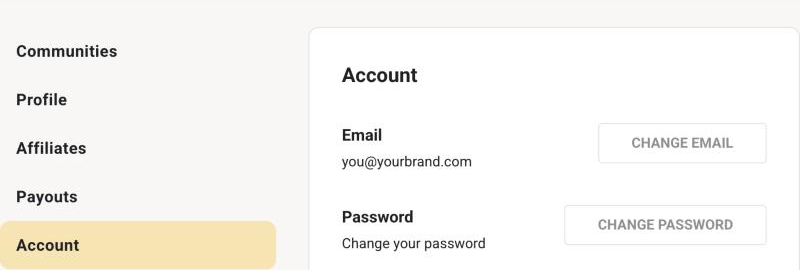
Or click Settings in that menu, then Account. Your email is under Email.
Still stuck? Search your inbox for emails from Skool. The address they were sent to is your Skool email.
Not a member yet? Join the Blueprint on Skool